[hidecontent type=”password” password=”yyf12345″ img_id=”” img_url=”” desc=”涉过愤怒的海1080P,托管在阿里云OSS测试(在意网盘)”]
[/hidecontent]
博客
-
公共CSS/JS搜索平台源码基于cdnjsApi
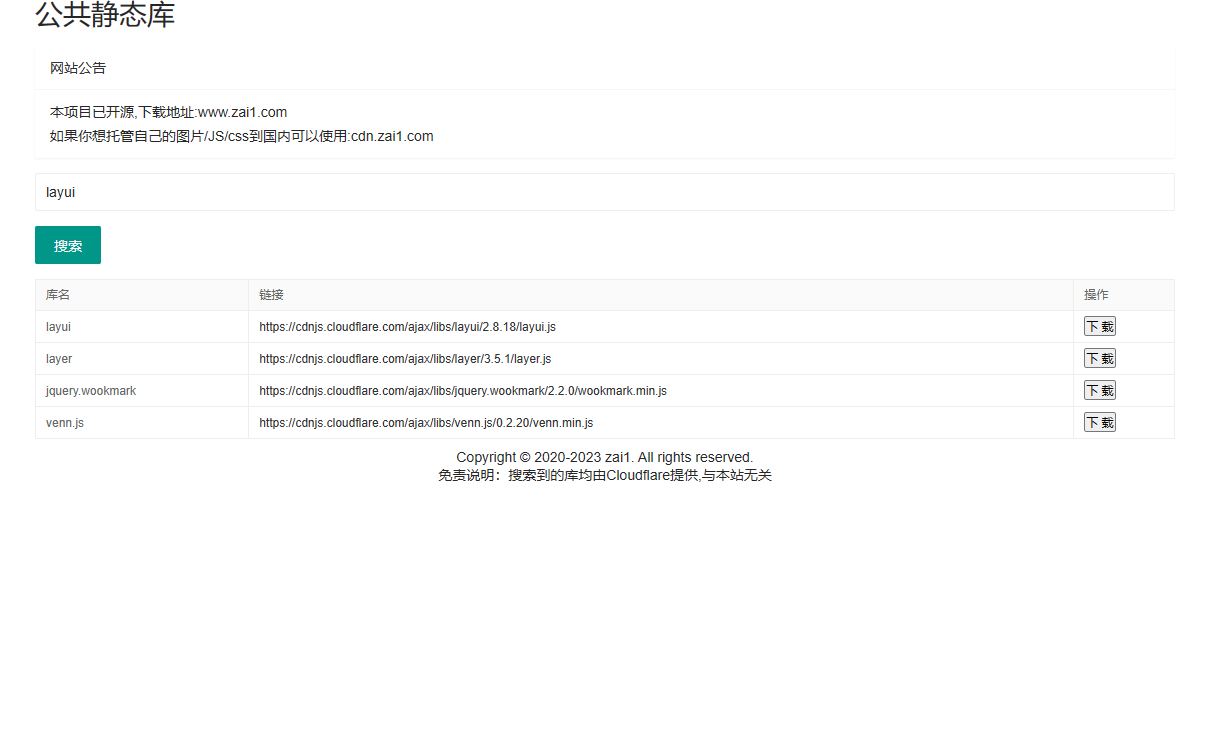
这是基于cdnjs来做的js与css库搜索网页,方便快速寻找你需要的项目所依赖的库,并且直接提供cdnjs的静态公共链接与下载。完全基于Html与js完成。使用layui框架元素;API接口来源 cdnjs。
搜索js得到的静态链接试例:cdnjs.cloudflare.com/ajax/libs/bootstrap/5.3.2/js/bootstrap.min.js
截图:
乱码请增加以下头
<meta charset="UTF-8">添加到网站名下方即可
-
纯JS生成元素:星空闪闪+逐字打印文字效果404页面
纯JavaScript生成动态星空(繁星闪闪)404页面,页面元素全部由JavaScript产生包括标题,并附带逐字打印文字效果,支持展现三段内容!或者更多内容;JS代码可加密。
效果图:(不知道录出来大家看得见星星不,实际效果 星星和输入文字动画都要好一些!)
代码如下
document.addEventListener('DOMContentLoaded', function () {

const viewportMeta = document.createElement('meta');
viewportMeta.name = 'viewport';
viewportMeta.content = 'width=device-width, initial-scale=1.0';

document.head.appendChild(viewportMeta);

const styleElement = document.createElement('style');
styleElement.textContent = `
body {
margin: 0;
overflow: hidden;
background-color: black;
color: white;
font-family: 'Arial', sans-serif;
}

#stars {
  position: absolute;
  top: 0;
  left: 0;
  width: 100%;
  height: 100%;
}

.star {
  position: absolute;
  background-color: white;
  border-radius: 50%;
  width: 2px;
  height: 2px;
  animation: twinkle 2s infinite;
}

@keyframes twinkle {
  0% { opacity: 0; }
  50% { opacity: 1; }
  100% { opacity: 0; }
}

#error-message {
  position: absolute;
  top: 50%;
  left: 50%;
  transform: translate(-50%, -50%);
  font-size: 36px;
  white-space: nowrap;
  overflow: hidden;
}
`;
document.head.appendChild(styleElement);

const body = document.body;

const starsContainer = document.createElement('div');
starsContainer.id = 'stars';
starsContainer.style.position = 'absolute';
starsContainer.style.top = '0';
starsContainer.style.left = '0';
starsContainer.style.width = '100%';
starsContainer.style.height = '100%';
body.appendChild(starsContainer);

const errorMessageContainer = document.createElement('div');
errorMessageContainer.id = 'error-message';
errorMessageContainer.style.position = 'absolute';
errorMessageContainer.style.top = '50%';
errorMessageContainer.style.left = '50%';
errorMessageContainer.style.transform = 'translate(-50%, -50%)';
errorMessageContainer.style.fontSize = '36px';
errorMessageContainer.style.whiteSpace = 'nowrap';
errorMessageContainer.style.overflow = 'hidden';
body.appendChild(errorMessageContainer);

const messages = ["可能页面飞到了宇宙去呢...", "404千万条,200第一条!", "404", "聚合CDN"];//提示词

function createStar() {
const star = document.createElement('div');
star.className = 'star';

const xy = Math.random() * 100;
const duration = Math.random() * 1 + 0.5;
const delay = Math.random() * 2;

star.style.position = 'absolute';
star.style.backgroundColor = 'white';
star.style.borderRadius = '50%';
star.style.width = '2px';
star.style.height = '2px';
star.style.left = `${Math.random() * 100}%`;
star.style.top = `${Math.random() * 100}%`;
star.style.animationDuration = `${duration}s`;
star.style.animationDelay = `-${delay}s`;

starsContainer.appendChild(star);
}

function createStars() {
for (let i = 0; i < 100; i++) {
createStar();
}
}

function typeText(message, index, callback) {
if (index < message.length) {
errorMessageContainer.innerHTML += message.charAt(index);
index++;
setTimeout(function () {
typeText(message, index, callback);
}, 150);
} else {
setTimeout(callback, 1000);
}
}

function deleteText(callback) {
let text = errorMessageContainer.innerHTML;
if (text.length > 0) {
text = text.slice(0, -1);
errorMessageContainer.innerHTML = text;
setTimeout(function () {
deleteText(callback);
}, 50);
} else {
setTimeout(callback, 1000);
}
}

function displayMessages() {
let index = 0;

function nextMessage() {
  deleteText(function () {
    setTimeout(function () {
      typeText(messages[index], 0, function () {
        index = (index + 1) % messages.length;
        nextMessage();
      });
    }, 1000);
  });
}

nextMessage();
}

createStars();
displayMessages();

window.addEventListener('resize', function () {
while (starsContainer.firstChild) {
starsContainer.removeChild(starsContainer.firstChild);
}
createStars();
});
});
document.title = "404 Lucky"; //网页名
console.log("404 Lucky");
console.log("本代码来自:在意博客 更多资源访问:https://zai1.com" );
如何使用
新建一个js文件,保存上面的代码,引用即可。
比如
<!DOCTYPE html><html lang="en"><head><meta charset="UTF-8"><script src="你的网站域名/你的JS名.js"></script></head><body></body>< -
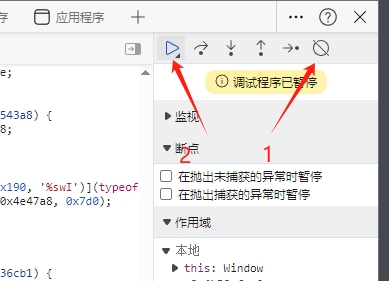
JS禁止控制台调试代码
setInterval(() => {
(function (a) {return (function (a) {return (Function('Function(arguments[0]+"' + a + '")()'))})(a)})('bugger')('de', 0, 0, (0, 0));
}, 1000);
要解决也很简单:
-
LOL隐藏战绩查询网页版
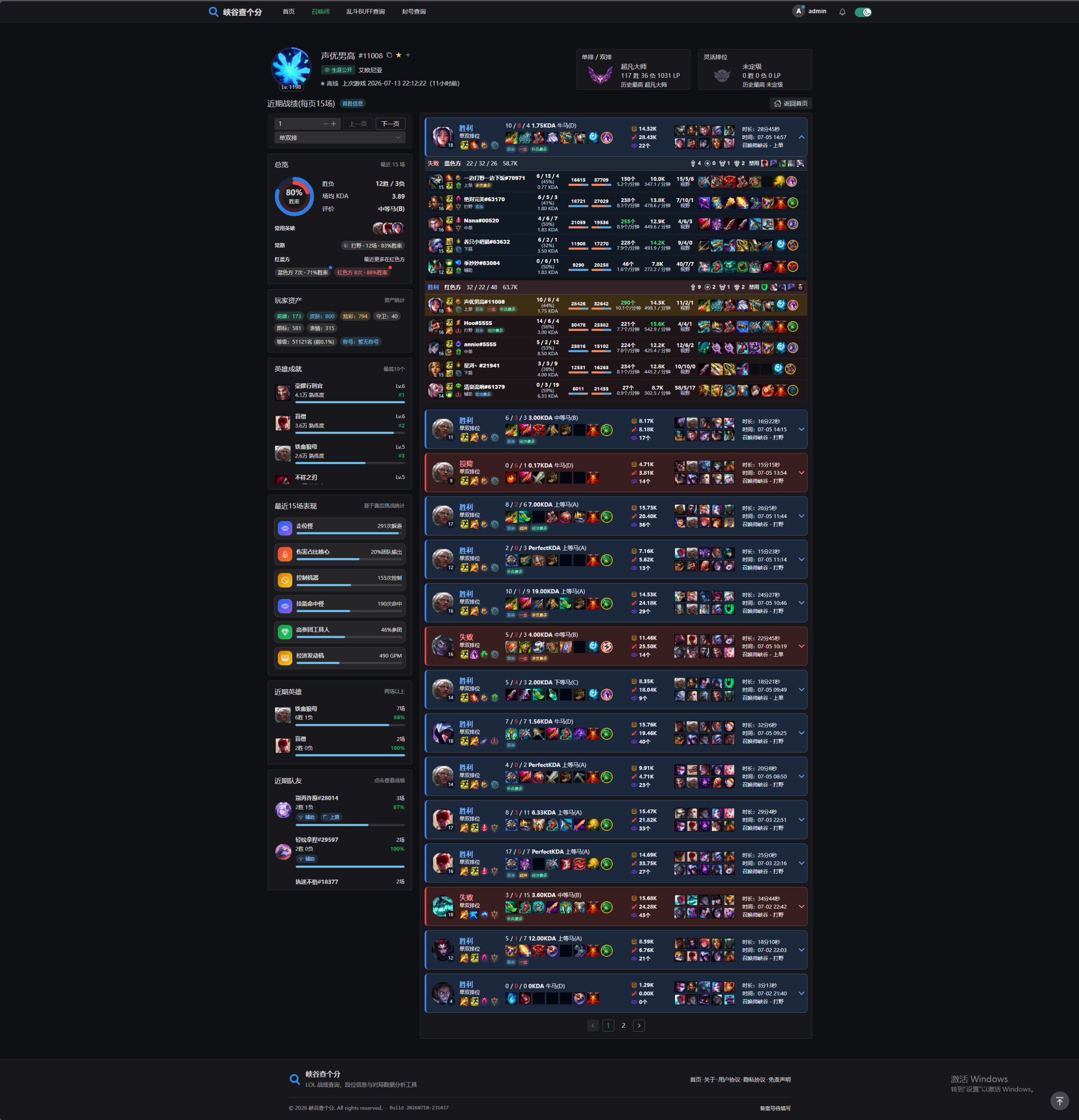
好久没更新博客了,今天更新下刚写的LOL查战绩网页版本,支持隐藏生涯的召唤师查询。实时战绩结果。
支持功能:实时在线、最后游戏时间、召唤师图标、ID、等级(差多少经验升级也有)资产(拥有的皮肤数、英雄数、炫彩皮肤数、图标数、表情数量)玩家装备的称号,玩家的英雄成就(绝活都有那些)近期队友、近期经常打那个位置、最近使用的英雄、段位信息。支持海克斯大乱斗BUFF斗魂竞技场BUFF,同时支持大乱斗BUFF跟DeBuff查询。以及输入QQ号无需密码查别人是否封号。
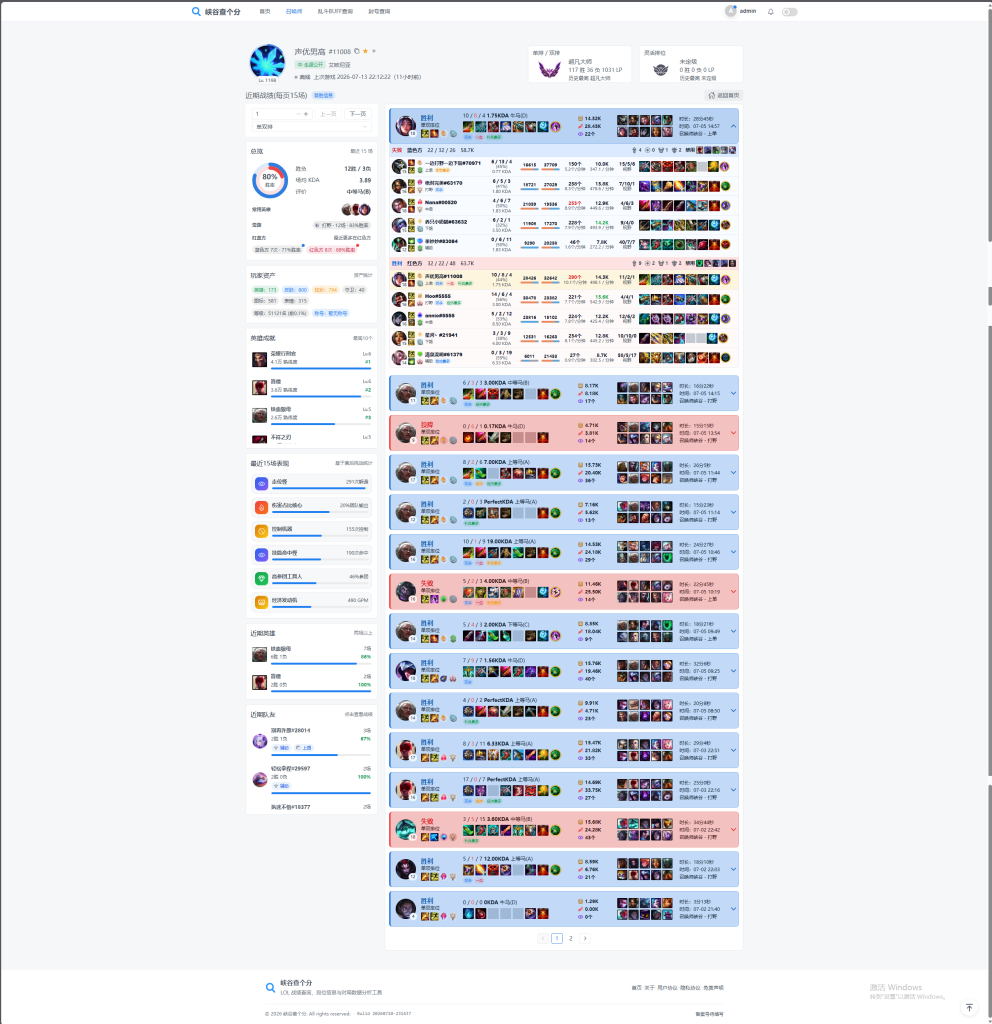
注册即可免费使用,无需上游戏,无需下载软件。
全天免费,感谢大家的支持。
-
PHP禁止指定IP访问或调用代码
写pic.zai1.com图床的时候想到的,拉黑恶意IP禁止使用。
把要拉黑的IP保存到ip.txt一行一个,被拉黑的IP无法访问或调用,或做跳转或拒绝访问都可以自行扩展
需要注意:请手动创建一个ip.txt,否则报错。
代码如下:
<?php
// 获取访客IP
$visitor_ip = $_SERVER['REMOTE_ADDR'];


$blacklist_file = 'ip.txt';
$blacklisted_ips = file($blacklist_file, FILE_IGNORE_NEW_LINES | FILE_SKIP_EMPTY_LINES);

// 检查IP是否在ip.txt黑名单中
if (in_array($visitor_ip, $blacklisted_ips)) {
    // IP 在黑名单中,拒绝访问
    header('HTTP/1.1 403 Forbidden');
    echo 'Access Denied';
    exit;
}

// 如果不在黑名单 正常的代码。

?>
如果你使用了CDN那么用上面的代码可能获取到的是节点IP,你可以使用以下代码解决。
<?php
// 针对你使用了CDN,来获取用户IP
$visitor_ip = $_SERVER['HTTP_CF_CONNECTING_IP'] ?? $_SERVER['HTTP_X_FORWARDED_FOR'] ?? $_SERVER['REMOTE_ADDR'];


$blacklist_file = 'ip.txt';
$blacklisted_ips = file($blacklist_file, FILE_IGNORE_NEW_LINES | FILE_SKIP_EMPTY_LINES);


if (in_array($visitor_ip, $blacklisted_ips)) {
    // IP 在黑名单中,拒绝访问
    header('HTTP/1.1 403 Forbidden');
    echo 'Access Denied';
    exit;
}

// 允许访问的代码
?>