博客

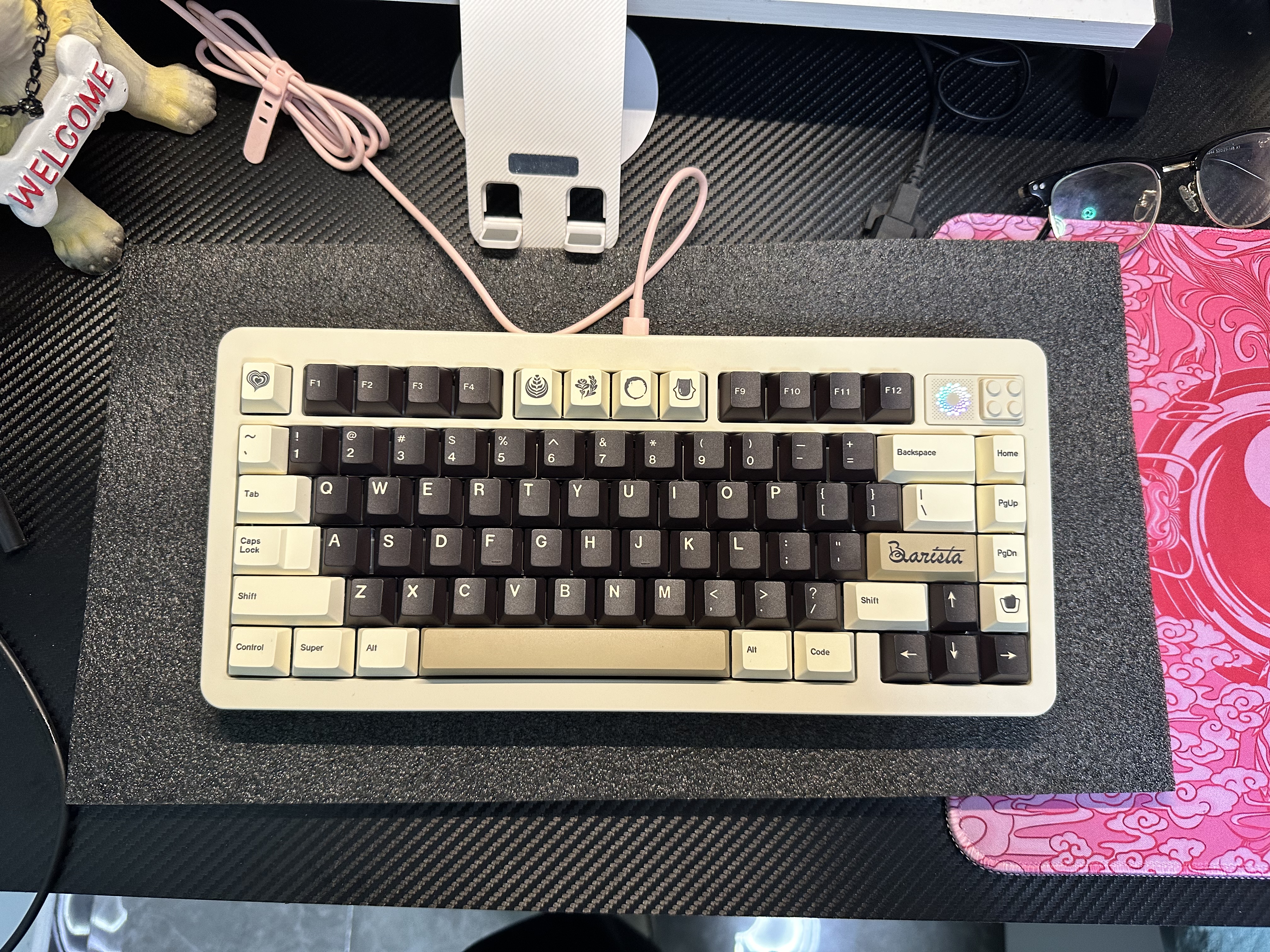
  • 新键盘:TOUCHKEYS工作室的NOVA75(我的第一把坨坨套件)

    等了2个月的键盘终于发货了.我的第一把铝坨坨~

    之前玩过很多键盘都是量产塑料.一直想入一把铝的试试啥感觉!

    昨天拿到手的(吐槽一下现在顺丰真的变慢了)。

    今天早上开始组装以前没有接触过客制化键盘,完全自己组装…好在成功拿下!

    堆料满满的铝坨坨键盘~组完大概8斤.值得入手!

    上图前附上装备在线GB贴:[[GB]NOVA75-TOUCHKEYS – zFrontier 装备前线](https://www.zfrontier.com/app/flow/oMVW1pNyj96w)

    ok

    ok

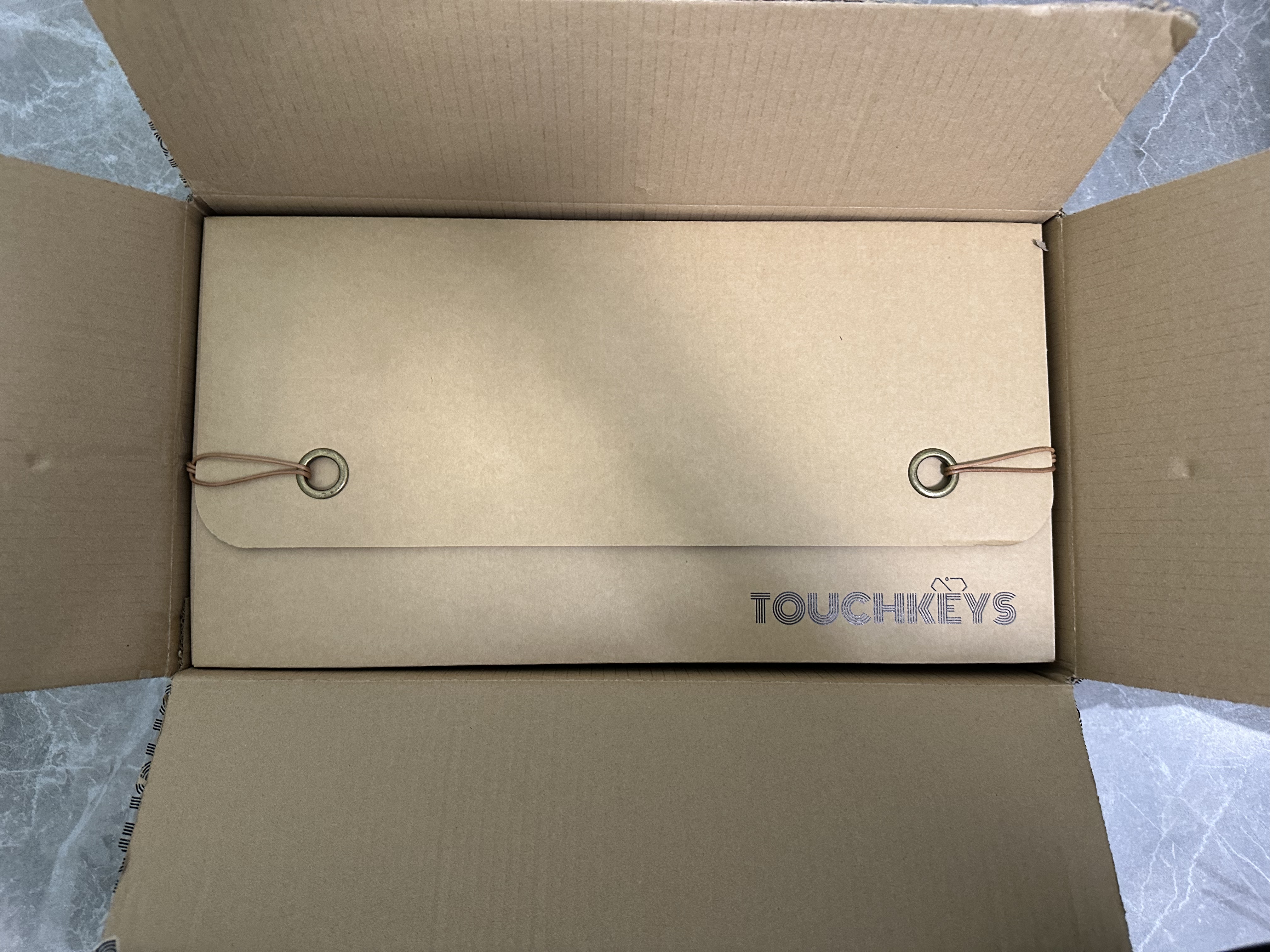
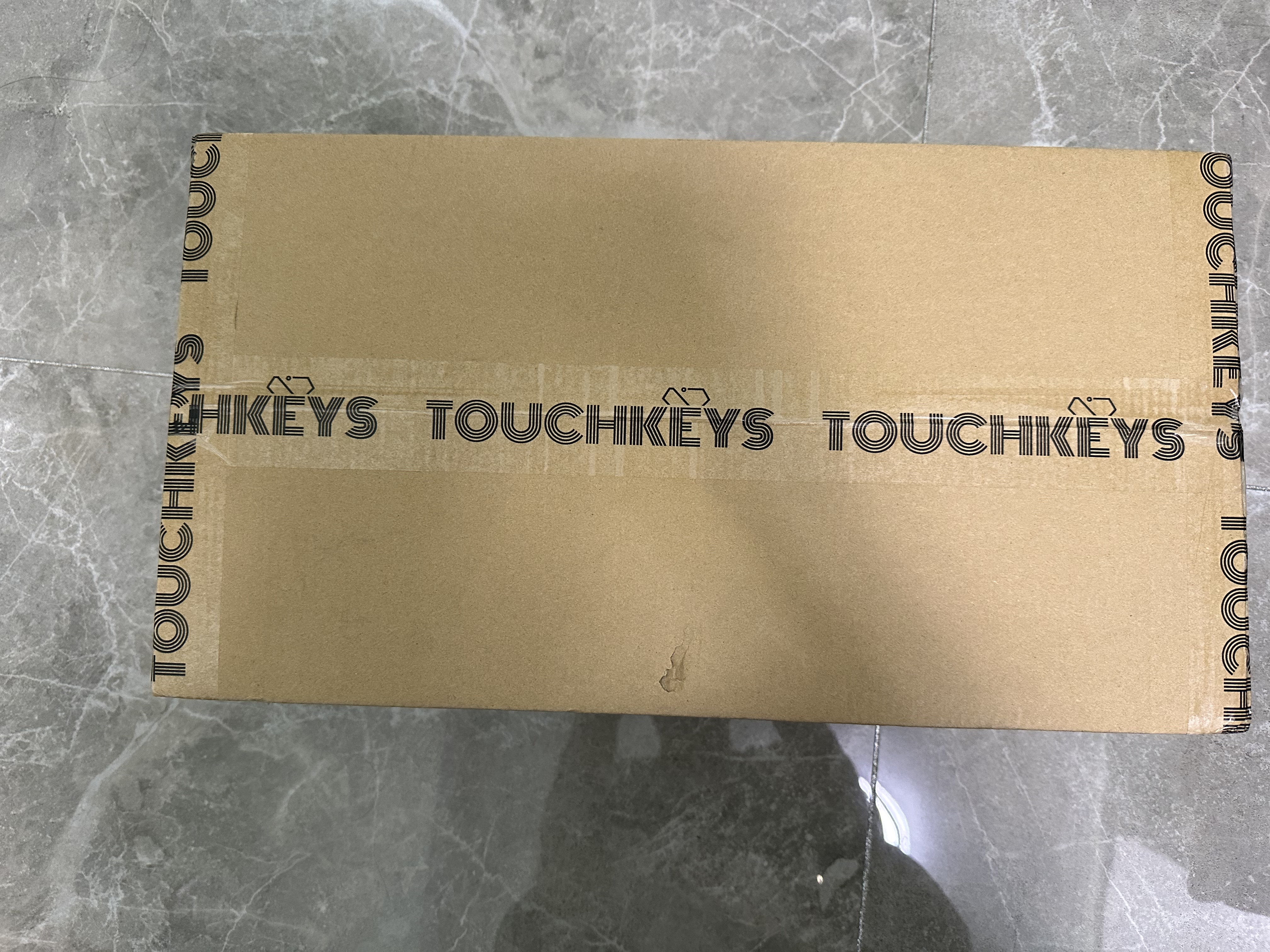
    这个包装设计真的不错~

    这个包装设计真的不错~

    厚实的包装,仪式满满~

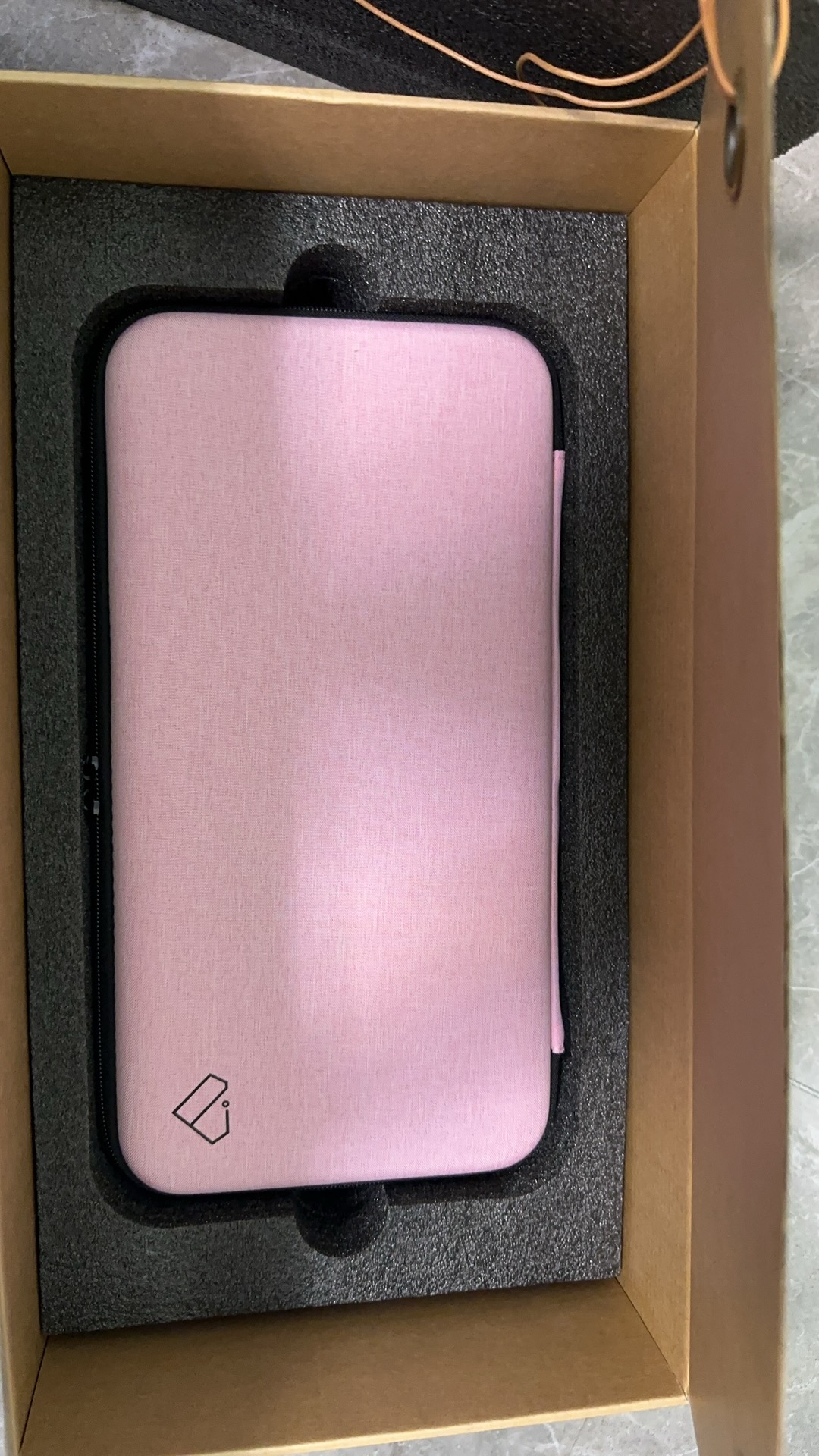
    还有个粉色包包~

    还有个粉色包包~

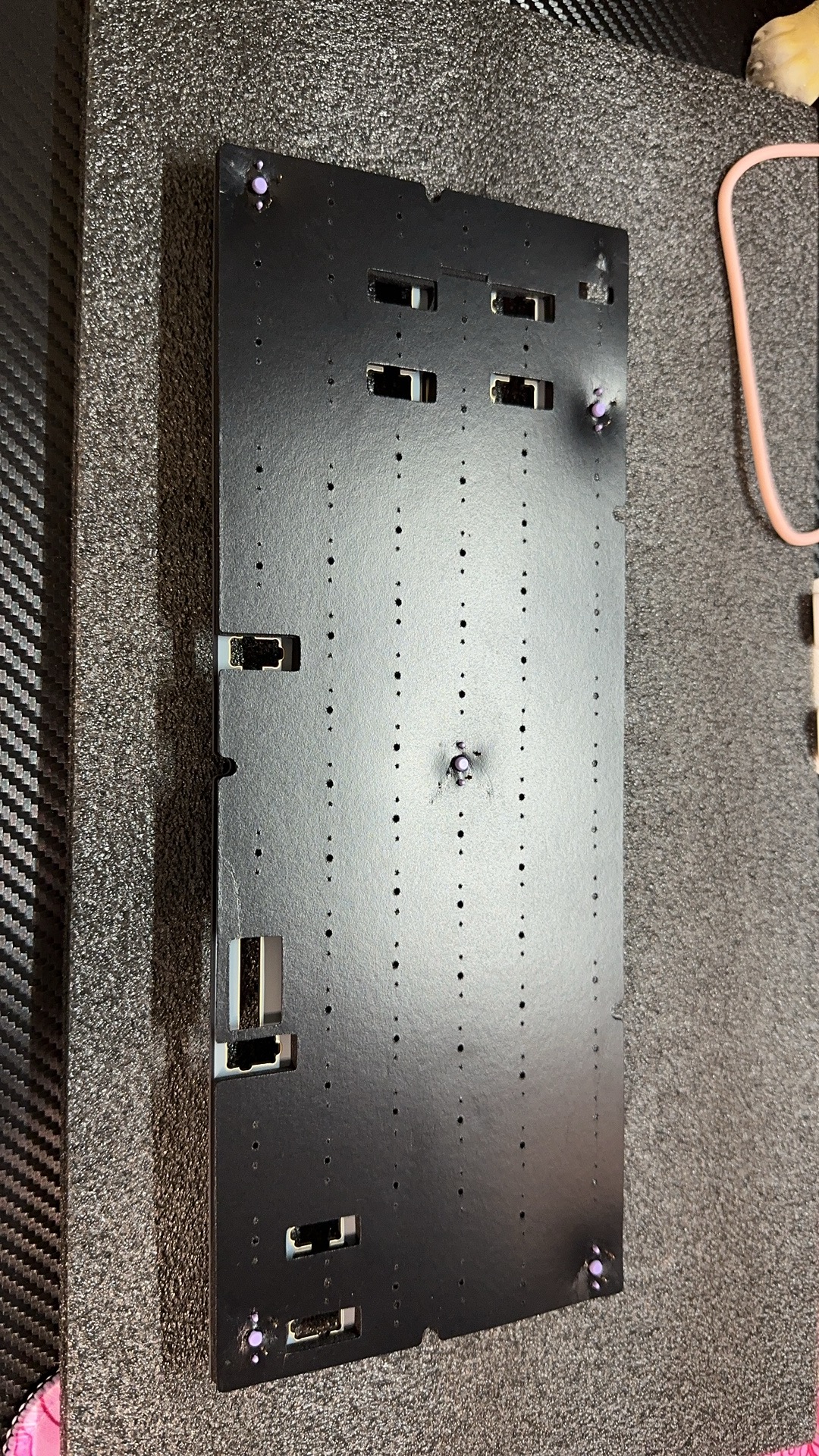
    开始组装…..

    键盘组装

    键盘组装

    组装

    组装

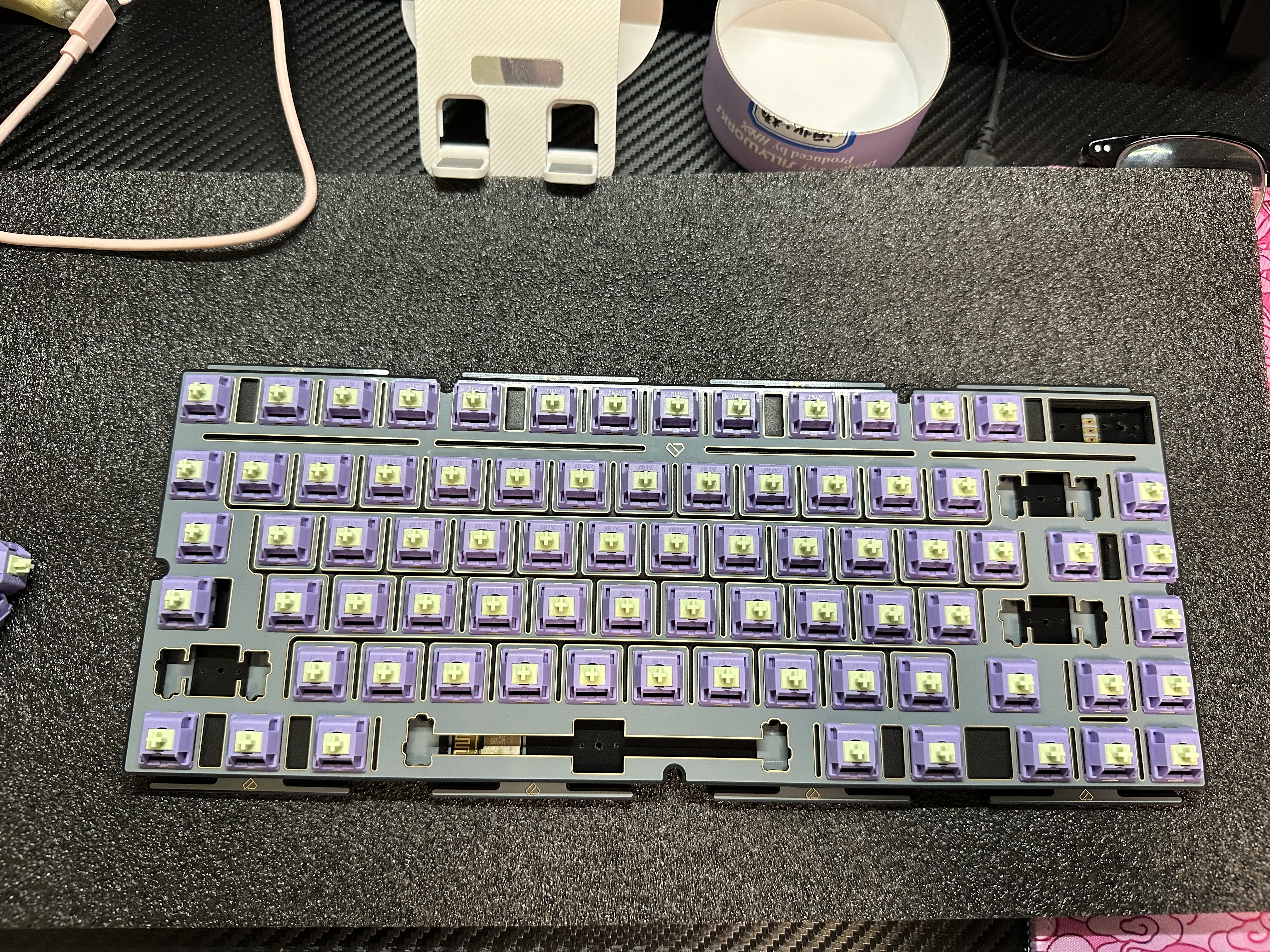
    中途很多是录得视频,还有就是组装的时候一直看着B站视频组装一步一步跟着组装。直接从9点干到了12点..润卫星轴啥的。好在是完美的。

    成品图

    NOVA75

    NOVA75

    配置清单:

    套件:Touchkeys NOVA75(不含轴体键帽,数据线,航插线)

    轴体:风信子V2 手工精润 小蜜蜂手润

    键帽:日当午 咖啡色

    至于声音手感:

    声音手感肯定是嘎嘎好呀!不然我也不会发博客是不是~ (真重!)

    心心念念的键盘收到!OK 完结!

  • 纯JS生成元素:星空闪闪+逐字打印文字效果404页面

    纯JavaScript生成动态星空(繁星闪闪)404页面,页面元素全部由JavaScript产生包括标题,并附带逐字打印文字效果,支持展现三段内容!或者更多内容;JS代码可加密。

    效果图:(不知道录出来大家看得见星星不,实际效果 星星和输入文字动画都要好一些!)

    GIF效果 实际效果更好

    代码如下

    document.addEventListener('DOMContentLoaded', function () {
    
    const viewportMeta = document.createElement('meta');
    viewportMeta.name = 'viewport';
    viewportMeta.content = 'width=device-width, initial-scale=1.0';
    
    document.head.appendChild(viewportMeta);
    
    const styleElement = document.createElement('style');
    styleElement.textContent = `
    body {
    margin: 0;
    overflow: hidden;
    background-color: black;
    color: white;
    font-family: 'Arial', sans-serif;
    }
    
    #stars {
      position: absolute;
      top: 0;
      left: 0;
      width: 100%;
      height: 100%;
    }
    
    .star {
      position: absolute;
      background-color: white;
      border-radius: 50%;
      width: 2px;
      height: 2px;
      animation: twinkle 2s infinite;
    }
    
    @keyframes twinkle {
      0% { opacity: 0; }
      50% { opacity: 1; }
      100% { opacity: 0; }
    }
    
    #error-message {
      position: absolute;
      top: 50%;
      left: 50%;
      transform: translate(-50%, -50%);
      font-size: 36px;
      white-space: nowrap;
      overflow: hidden;
    }
    `;
    document.head.appendChild(styleElement);
    
    const body = document.body;
    
    const starsContainer = document.createElement('div');
    starsContainer.id = 'stars';
    starsContainer.style.position = 'absolute';
    starsContainer.style.top = '0';
    starsContainer.style.left = '0';
    starsContainer.style.width = '100%';
    starsContainer.style.height = '100%';
    body.appendChild(starsContainer);
    
    const errorMessageContainer = document.createElement('div');
    errorMessageContainer.id = 'error-message';
    errorMessageContainer.style.position = 'absolute';
    errorMessageContainer.style.top = '50%';
    errorMessageContainer.style.left = '50%';
    errorMessageContainer.style.transform = 'translate(-50%, -50%)';
    errorMessageContainer.style.fontSize = '36px';
    errorMessageContainer.style.whiteSpace = 'nowrap';
    errorMessageContainer.style.overflow = 'hidden';
    body.appendChild(errorMessageContainer);
    
    const messages = ["可能页面飞到了宇宙去呢...", "404千万条,200第一条!", "404", "聚合CDN"];//提示词
    
    function createStar() {
    const star = document.createElement('div');
    star.className = 'star';
    
    const xy = Math.random() * 100;
    const duration = Math.random() * 1 + 0.5;
    const delay = Math.random() * 2;
    
    star.style.position = 'absolute';
    star.style.backgroundColor = 'white';
    star.style.borderRadius = '50%';
    star.style.width = '2px';
    star.style.height = '2px';
    star.style.left = `${Math.random() * 100}%`;
    star.style.top = `${Math.random() * 100}%`;
    star.style.animationDuration = `${duration}s`;
    star.style.animationDelay = `-${delay}s`;
    
    starsContainer.appendChild(star);
    }
    
    function createStars() {
    for (let i = 0; i < 100; i++) {
    createStar();
    }
    }
    
    function typeText(message, index, callback) {
    if (index < message.length) {
    errorMessageContainer.innerHTML += message.charAt(index);
    index++;
    setTimeout(function () {
    typeText(message, index, callback);
    }, 150);
    } else {
    setTimeout(callback, 1000);
    }
    }
    
    function deleteText(callback) {
    let text = errorMessageContainer.innerHTML;
    if (text.length > 0) {
    text = text.slice(0, -1);
    errorMessageContainer.innerHTML = text;
    setTimeout(function () {
    deleteText(callback);
    }, 50);
    } else {
    setTimeout(callback, 1000);
    }
    }
    
    function displayMessages() {
    let index = 0;
    
    function nextMessage() {
      deleteText(function () {
        setTimeout(function () {
          typeText(messages[index], 0, function () {
            index = (index + 1) % messages.length;
            nextMessage();
          });
        }, 1000);
      });
    }
    
    nextMessage();
    }
    
    createStars();
    displayMessages();
    
    window.addEventListener('resize', function () {
    while (starsContainer.firstChild) {
    starsContainer.removeChild(starsContainer.firstChild);
    }
    createStars();
    });
    });
    document.title = "404 Lucky"; //网页名
    console.log("404 Lucky");
    console.log("本代码来自:在意博客 更多资源访问:https://zai1.com" );

    如何使用

    新建一个js文件,保存上面的代码,引用即可。

    比如

    <!DOCTYPE html><html lang="en"><head><meta charset="UTF-8"><script src="你的网站域名/你的JS名.js"></script></head><body></body><
  • 网站底部滚动通知公告JS代码

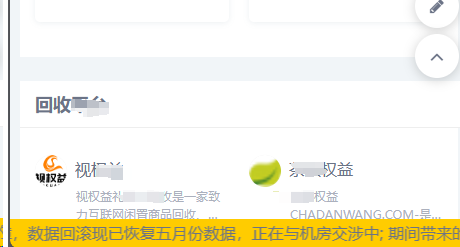
    在网站底部添加底部滚动通知公告JS代码,可用来紧急通知,活动信息推送。

    代码如下:

    <style>
            body {
                margin: 0;
            }
    
            #emergency-container {
                position: fixed;
                bottom: 0;
                left: 0;
                width: 100%;
                background-color: #ffcc00; /* 黄色 */
                overflow: hidden;
            }
    
            #emergency-notice {
                white-space: nowrap;
                animation: scrollNotice 15s linear infinite;
            }
    
            @keyframes scrollNotice {
                from {
                    transform: translateX(100%);
                }
                to {
                    transform: translateX(-100%);
                }
            }
        </style>
        <script>
        // 创建通知容器元素
        var containerElement = document.createElement('div');
        containerElement.id = 'emergency-container';
    
        // 创建通知元素
        var noticeElement = document.createElement('div');
        noticeElement.id = 'emergency-notice';
        noticeElement.textContent = '由于机房11.15日故障,数据回滚现已恢复五月份数据,正在与机房交涉中; 期间带来的不变敬请谅解。';
    
        // 将通知元素添加到通知容器中
        containerElement.appendChild(noticeElement);
    
        // 将通知容器添加到body中
        //本代码来自zai1.com 在意博客
        document.body.appendChild(containerElement);
    </script>
  • 51la 疑似服务宕机

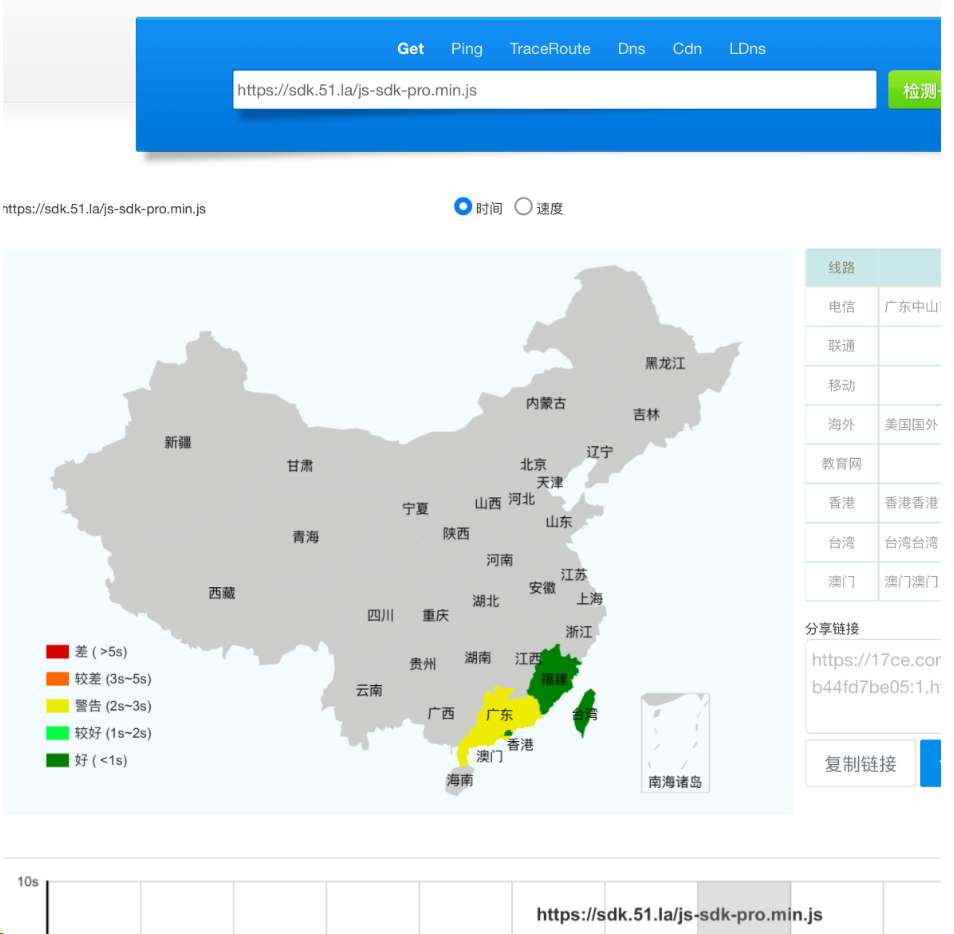
    忙了一天回来进站发现,网站一直加载我以为是 cdn那边出现了问题,由于是手机也没法看,抓包看了下 51la的统计 js 已经没有响应。

    进入 51la 官网也是无响应。

    破案了 阿里云的问题!!

  • PHP对接WxPusher微信推送源码

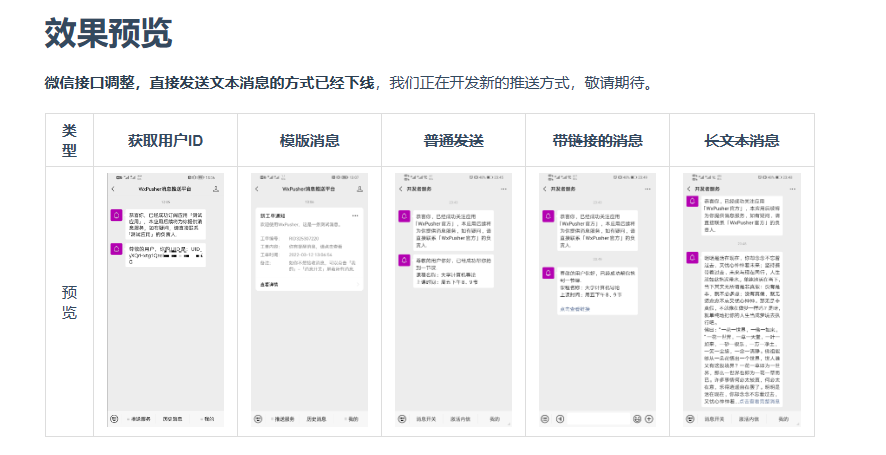
    WxPusher (微信推送服务)是一个使用微信公众号作为通道的,实时信息推送平台,你可以通过调用API的方式,把信息推送到微信上,无需安装额外的软件,即可做到信息实时通知。 你可以使用WxPusher来做服务器报警通知、抢课通知、抢票通知,信息更新提示等。

    官方文档:WxPusher微信推送服务 (zjiecode.com)

    朋友让帮忙写的,他是用来推送余额信息的,我改成了读取get参数来推送了。

    参数说明:

    zy=填写摘要内容,即不点进去查看的标题内容。

    zw=填写用户点击这个推送后展现的内容,比如详细的通知呀..

    代码内容我已放到下方,并已添加注释!需要的小伙伴可以评论回复直接拿去。

    [hidecontent type=”reply”]
    <?php
    //* blgo:zai1.com
    //* 在意博客
    $notificationApiUrl = "https://wxpusher.zjiecode.com/api/send/message";
    $appToken = "AT_grLbeDOEVg9cDJmXeuuyMbLrFk5a2oA7"; // 应用Token WxPusher后台获取
    $userUid = "UID_7tYeDMpH5seB2kCCQSTvUcRFWeq9"; // 你的用户UID WxPusher关注公众号可获得,或扫码。具体看后台获取~
    
    $summary = $_GET['zy']; // 从GET请求中获取"zy"参数的内容
    $content = $_GET['zw']; // 从GET请求中获取"zw"参数的内容
    
    try {
        // 构建通知数据
        $notificationData = array(
            "appToken" => $appToken,
            "content" => $content, // 使用GET请求中获取的"zw"参数内容作为提示内容
            "summary" => $summary, // 使用GET请求中获取的"zy"参数内容作为消息摘要
            "contentType" => 1,
            "uids" => array($userUid)
        );
    
        $options = array(
            'http' => array(
                'header' => "Content-type: application/json\r\n",
                'method' => 'POST',
                'content' => json_encode($notificationData)
            )
        );
    
        $context = stream_context_create($options);
        $notificationResponse = file_get_contents($notificationApiUrl, false, $context);
    
        $notificationResult = json_decode($notificationResponse, true);
        if ($notificationResult["success"]) {
            echo "推送通知已发送\n";
        } else {
            echo "推送通知发送失败\n";
        }
    
    } catch (Exception $e) {
        echo "发生错误:" . $e->getMessage() . "\n";
    }
    ?>
    [/hidecontent]
  • JS定时每小时指定分钟跳转指定网页代码

    纯JavaScript脚本,在每小时的指定分钟内跳转到指定网址代码。

    功能:检查时间是否为设置的时间范围,如果是则跳转,如果不是则不跳转。

    可以自己写个定时检查 比如30秒检查一次,如果到了指定时间点就开始跳转,这样可以:比如他19分打开的网页,定时30秒检查到现在是20分了也会跳转。

    可以将跳转网页,修改成其他操作~

    仅供学习交流

    function redirectToBaidu() {
        window.location.href = "https://zai1.com";
    }
    
    function checkAndRedirect() {
        const currentDate = new Date();
        const currentHour = currentDate.getHours();
        const currentMinute = currentDate.getMinutes();
    
        // 判断是否在指定时间范围内 每小时的20分钟-30分钟
        if (currentMinute >= 20 && currentMinute <= 30) {
            redirectToBaidu();//执行跳转
        }
    }
    
    // 现在是运行脚本后立即检查时间是否在指定范围内,只检查一次。
    checkAndRedirect();//运行检查
    //可以写个定时检查 比如30秒检查一次,如果到了指定时间点就开始跳转。
    //这样可以比如他19分打开的网页,定时30秒检查到现在是20分了也会跳转
  • 公共CSS/JS搜索平台源码基于cdnjsApi

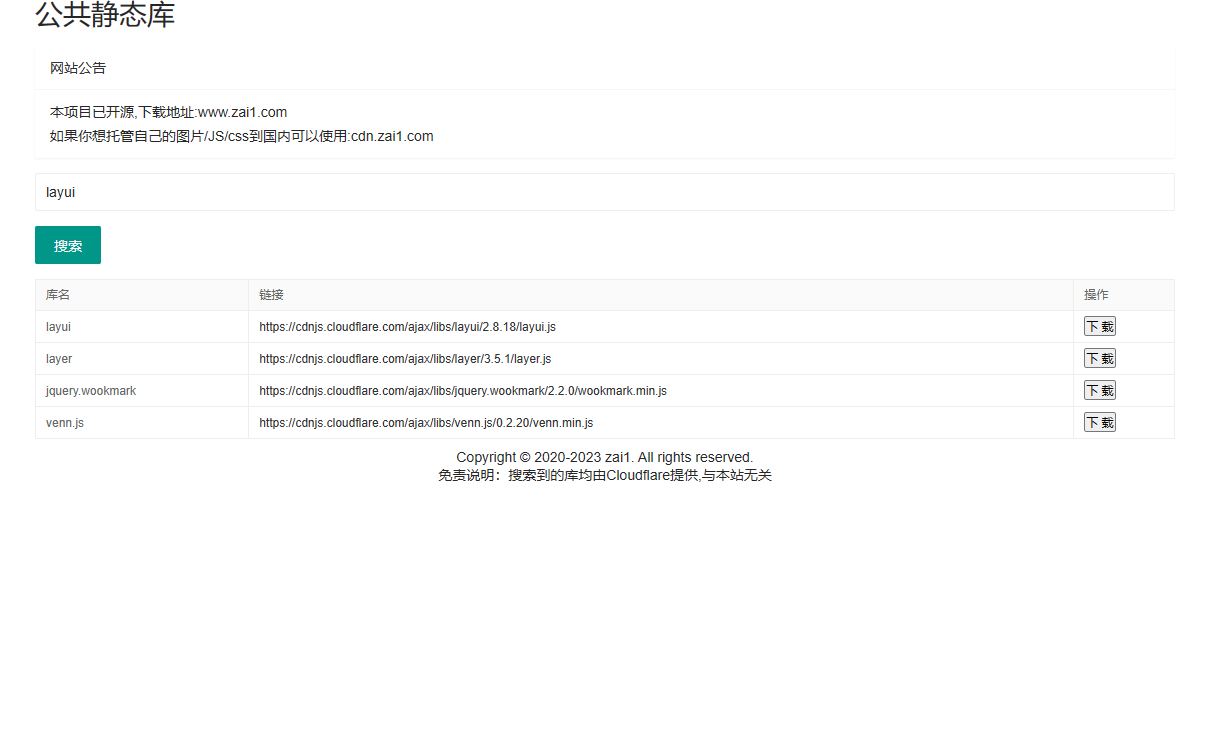
    这是基于cdnjs来做的js与css库搜索网页,方便快速寻找你需要的项目所依赖的库,并且直接提供cdnjs的静态公共链接与下载。完全基于Html与js完成。使用layui框架元素;API接口来源 cdnjs。

    搜索js得到的静态链接试例:cdnjs.cloudflare.com/ajax/libs/bootstrap/5.3.2/js/bootstrap.min.js

    截图:

    乱码请增加以下头

    <meta charset="UTF-8">

    添加到网站名下方即可

    [hidecontent type=”logged”]

    下载:https://t7g.lanzouj.com/ir21y1eacbwb 密码:h5hy

    [/hidecontent]
  • Hello Word

    这是我的第一篇博文